12 Principles of Animation: Lutz’s 1920 Rule for In-Betweens
Frame card
In one line The 12 principles of animation are twelve named working rules listed by Frank Thomas and Ollie Johnston in 1981. One, slow in and slow out, bunches drawings near each end of a move; a 1920 manual already asked for more drawings in slower moves.
Source, Year, Format, Length or Size, Access, License
- Source
- This site's two-extreme loop; E. G. Lutz, Animated Cartoons (1920), pp. 179–181
- Year
- Rule printed in 1920; list of twelve published in 1981; loop built for this page in 2026
- Format
- Two loops, one above the other: 30 frames at 12 frames per second, 2.5 seconds, even spacing against slow in and slow out
- Length or Size
- 440 x 120 pixel drawing area; 360 px between the extremes; 11 in-betweens each way
- Access
- Both loops, every frame side by side, the spacing data and the list of twelve as CSV on this page
- License
- CC BY 4.0, Flickers & Tintypes; easing curve values from a W3C document, credited on the page
Card data (CSV) 12-principles-of-animation-frame-card.csv Source and license notes
Shot list · 5 sections
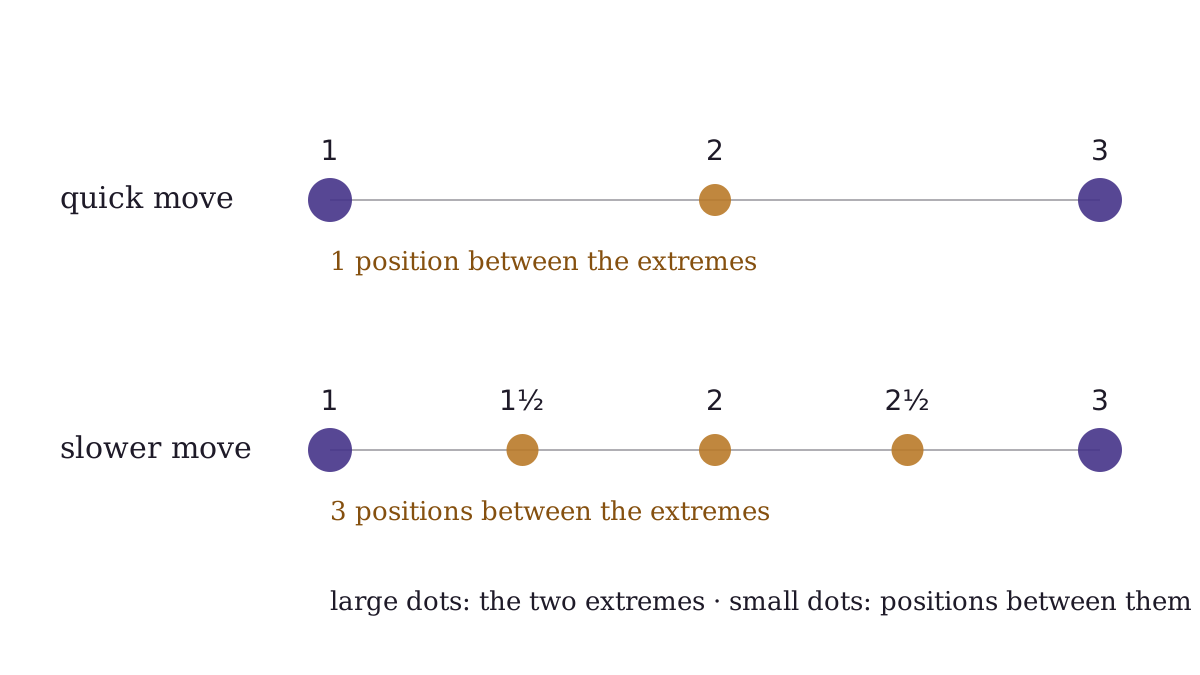
Page 180 of Lutz’s 1920 manual, counted as dots: one position between the extremes for a quick move, at least three for a slower one.
"Positions between two extremes after Lutz (1920), p. 180" by Flickers & Tintypes, https://flickersandtintypes.com/animation-loops/12-principles-of-animation/ — CC BY 4.0, https://creativecommons.org/licenses/by/4.0/
Page 180 of Lutz’s Animated Cartoons asks how many drawings a movement needs, and answers with a count. For a swift action in a humorous cartoon, E. G. Lutz allowed a single position halfway between the two extreme drawings, but a slower action “should have at least three positions between the extremes”. His how-to book was published in 1920. The diagram above counts both cases as dots, using the numbers printed beside his drawings: 1, 2, 3 and 1, 1½, 2, 2½, 3.
The 12 principles of animation are a later list of twelve working rules, named in Frank Thomas and Ollie Johnston’s 1981 book Disney Animation: The Illusion of Life. Lutz’s rule fits under one name on that list, timing, which decides how many drawings a movement receives. This page demonstrates a second name, slow in and slow out, which decides where those drawings are placed.
Slow in and slow out against even spacing
Even spacing against slow in and slow out
Even spacing
Slow in and slow out
Every frame, side by side
Even spacing
- 1extreme
- 2held
- 3held
- 4held
- 5
- 6
- 7
- 8
- 9
- 10
- 11
- 12
- 13
- 14
- 15
- 16extreme
- 17held
- 18held
- 19held
- 20
- 21
- 22
- 23
- 24
- 25
- 26
- 27
- 28
- 29
- 30
Slow in and slow out
- 1extreme
- 2held
- 3held
- 4held
- 5
- 6
- 7
- 8
- 9
- 10
- 11
- 12
- 13
- 14
- 15
- 16extreme
- 17held
- 18held
- 19held
- 20
- 21
- 22
- 23
- 24
- 25
- 26
- 27
- 28
- 29
- 30
30 frames at 12 frames per second: a 2.5-second loop, 2 versions one above the other.
Frame data (CSV) 12-principles-of-animation-pair.csv Source and license notesData: Easing curve values cubic-bezier(0.42, 0, 0.58, 1) from CSS Easing Functions Level 1, W3C Candidate Recommendation Draft, 13 February 2023, https://www.w3.org/TR/css-easing-1/. Copyright © 2023 World Wide Web Consortium. https://www.w3.org/copyright/document-license-2023/
Credits for this loop
- "Even spacing against slow in and slow out" by Flickers & Tintypes, https://flickersandtintypes.com/animation-loops/12-principles-of-animation/ — CC BY 4.0, https://creativecommons.org/licenses/by/4.0/
Both dots travel 360 pixels from extreme A to extreme B and back, in 30 frames at 12 frames per second. Each frame lasts about 83 milliseconds, so one loop takes 2.5 seconds. Each move uses 11 in-betweens, the drawings that fill the gap between two extremes, and lasts 12 frames, or 1 second.
Between the holds, the even-spacing dot moves 30 pixels every frame, so it starts and stops at full speed, as if each end were a wall it bumps into. The slow-in-and-slow-out dot leaves A with a step of 5 pixels, builds to 51 in the middle, then closes on B with steps of 15 and 5.
 Illustration
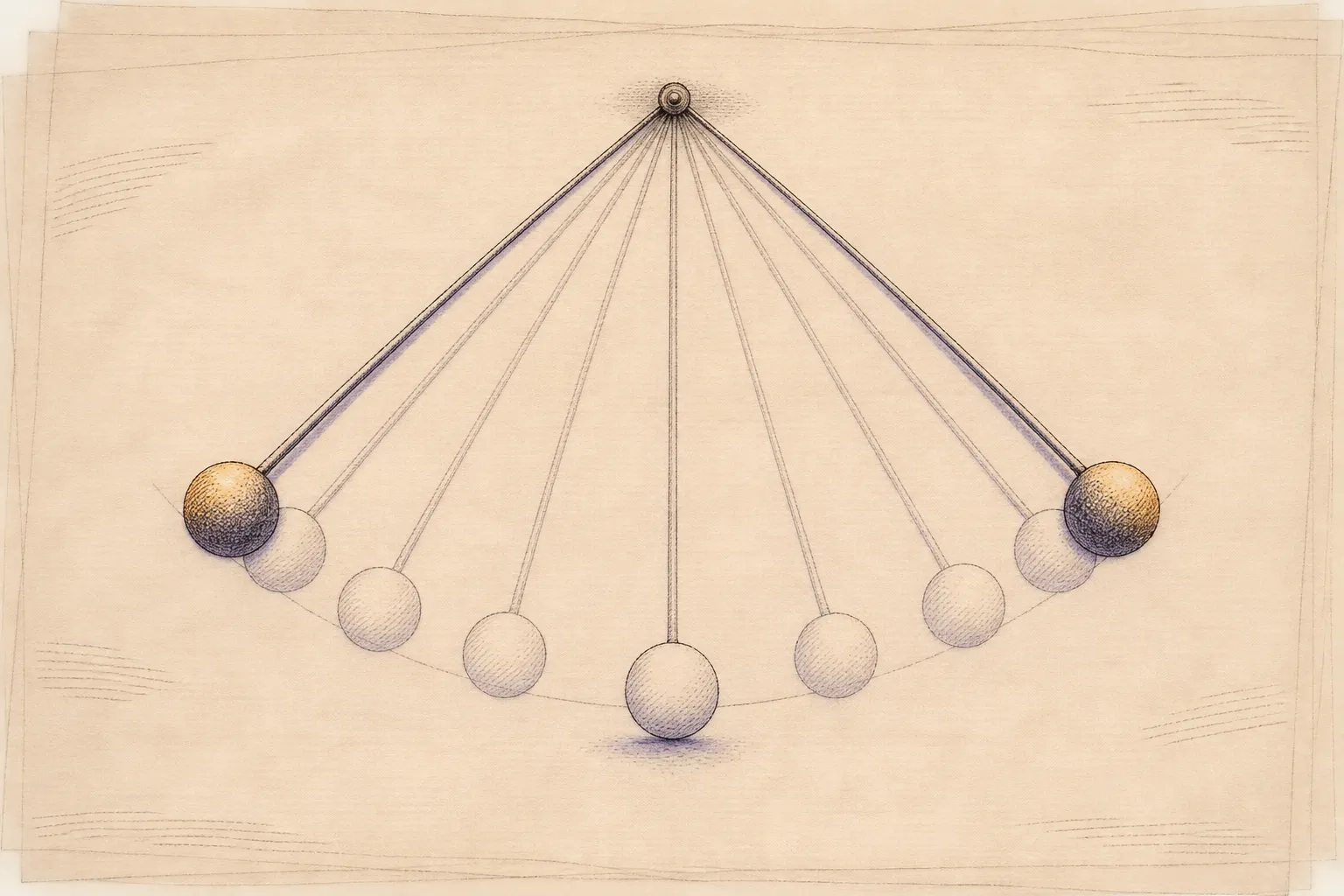
In-betweens bunched near each extreme and spread out in the middle: the spacing animators call slow in and slow out.
Illustration: Flickers & Tintypes. Generated schematic image — not a photograph, film frame or historical record. No copyright is claimed in this generated imagery; you may reuse it, and a credit to Flickers & Tintypes is appreciated.
That bunching of drawings near each extreme is slow in and slow out: the movement eases out of one pose and gradually settles into the next. Played at full speed, the ends of the slow-in-and-slow-out dot’s move look soft. The even-spacing dot’s ends look abrupt.
Where the in-betweens sit
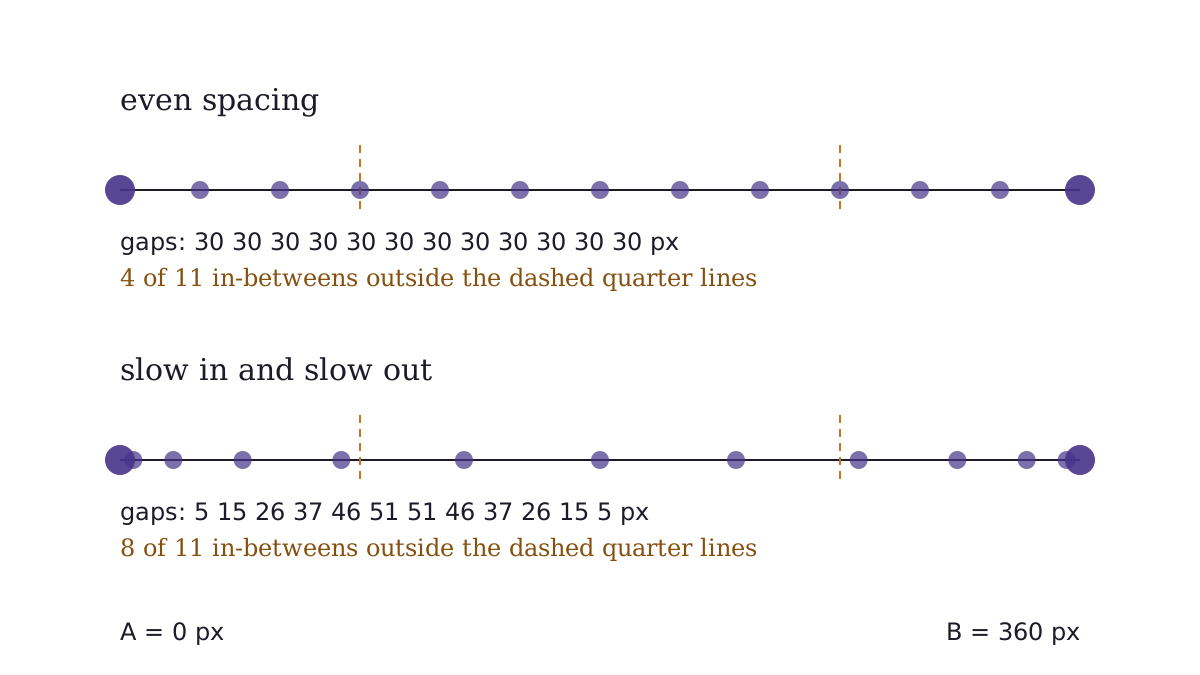
Frames 5–15, the 11 in-betweens of one move: even gaps of 30 pixels against eased gaps that grow from 5 to 51 and shrink again.
"In-between positions on a 360-pixel move: even spacing against slow in and slow out" by Flickers & Tintypes, https://flickersandtintypes.com/animation-loops/12-principles-of-animation/ — CC BY 4.0, https://creativecommons.org/licenses/by/4.0/
Data: Easing curve values cubic-bezier(0.42, 0, 0.58, 1) from CSS Easing Functions Level 1, W3C Candidate Recommendation Draft, 13 February 2023, https://www.w3.org/TR/css-easing-1/. Copyright © 2023 World Wide Web Consortium. https://www.w3.org/copyright/document-license-2023/
Lay both moves along a ruler and the difference is easy to count. Mark a point a quarter of the way in from each end, 90 pixels from the extreme. The even move places 4 of its 11 in-betweens inside those outer quarters, with 2 more exactly on the marks, while the eased move places 8 there, 4 at each end.
| In-between | Even spacing, from A | Slow in and slow out, from A |
|---|---|---|
| 1 | 30 px | 5 px |
| 2 | 60 px | 20 px |
| 3 | 90 px | 46 px |
| 4 | 120 px | 83 px |
| 5 | 150 px | 129 px |
| 6 | 180 px | 180 px |
| 7 | 210 px | 231 px |
| 8 | 240 px | 277 px |
| 9 | 270 px | 314 px |
| 10 | 300 px | 340 px |
| 11 | 330 px | 355 px |
The eased positions come from a mathematical curve rather than from placing dots by eye. The curve is a cubic Bézier with control points (0.42, 0) and (0.58, 1), the value that the W3C document CSS Easing Functions Level 1 gives for the keyword ease-in-out. For in-between k, this page reads the curve at k/12 of the move’s time and rounds the result to a whole pixel.
Curve values from CSS Easing Functions Level 1, W3C Candidate Recommendation Draft, 13 February 2023. Copyright © 2023 World Wide Web Consortium. W3C Document License.
Download the slow in and slow out spacing (CSV) source and license notes Data: Easing curve values cubic-bezier(0.42, 0, 0.58, 1) from CSS Easing Functions Level 1, W3C Candidate Recommendation Draft, 13 February 2023, https://www.w3.org/TR/css-easing-1/. Copyright © 2023 World Wide Web Consortium. https://www.w3.org/copyright/document-license-2023/
The held frame
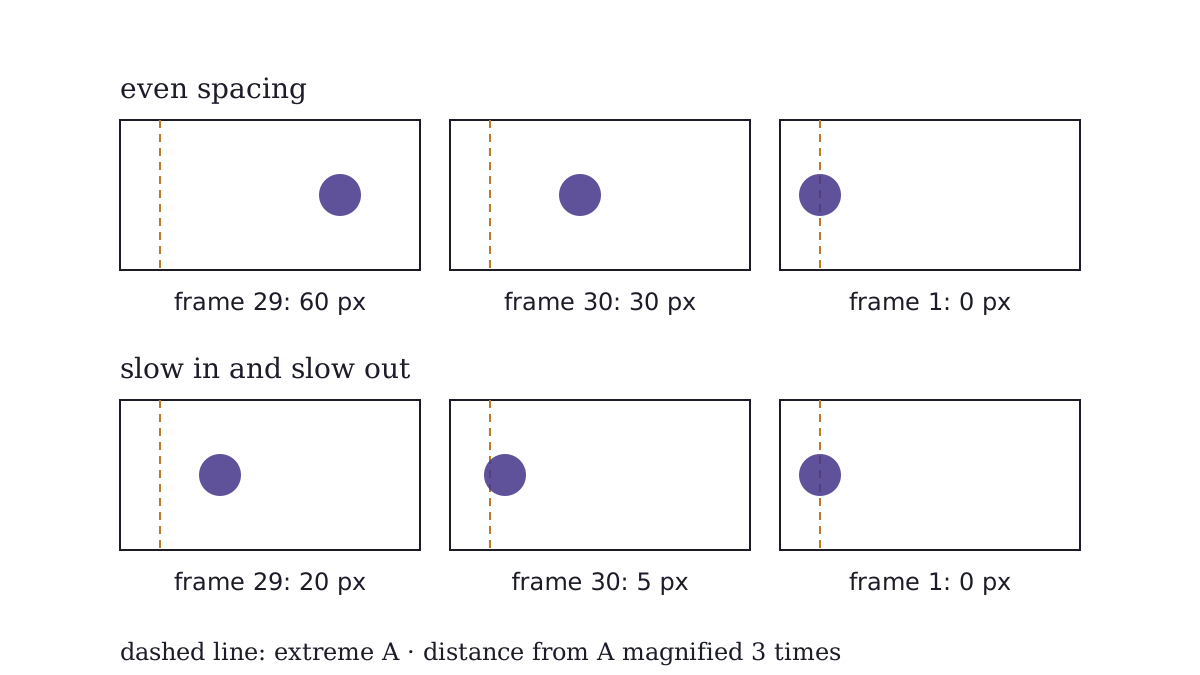
Frames 29, 30 and 1, where the loop joins: the even dot arrives in steps of 30 pixels, the eased dot in steps of 15 and 5.
"Where the loop joins: frames 29, 30 and 1 of both loops" by Flickers & Tintypes, https://flickersandtintypes.com/animation-loops/12-principles-of-animation/ — CC BY 4.0, https://creativecommons.org/licenses/by/4.0/
Data: Easing curve values cubic-bezier(0.42, 0, 0.58, 1) from CSS Easing Functions Level 1, W3C Candidate Recommendation Draft, 13 February 2023, https://www.w3.org/TR/css-easing-1/. Copyright © 2023 World Wide Web Consortium. https://www.w3.org/copyright/document-license-2023/
Frames 1 to 4 of the loop all show the dot at extreme A, and frames 16 to 19 all show it at extreme B. Frames 1 and 16 are the extremes, and the three frames following each one are identical copies. This site calls each copy the held frame: the frame in a loop that deliberately does not move, because a motion often reads through the time it stays still.
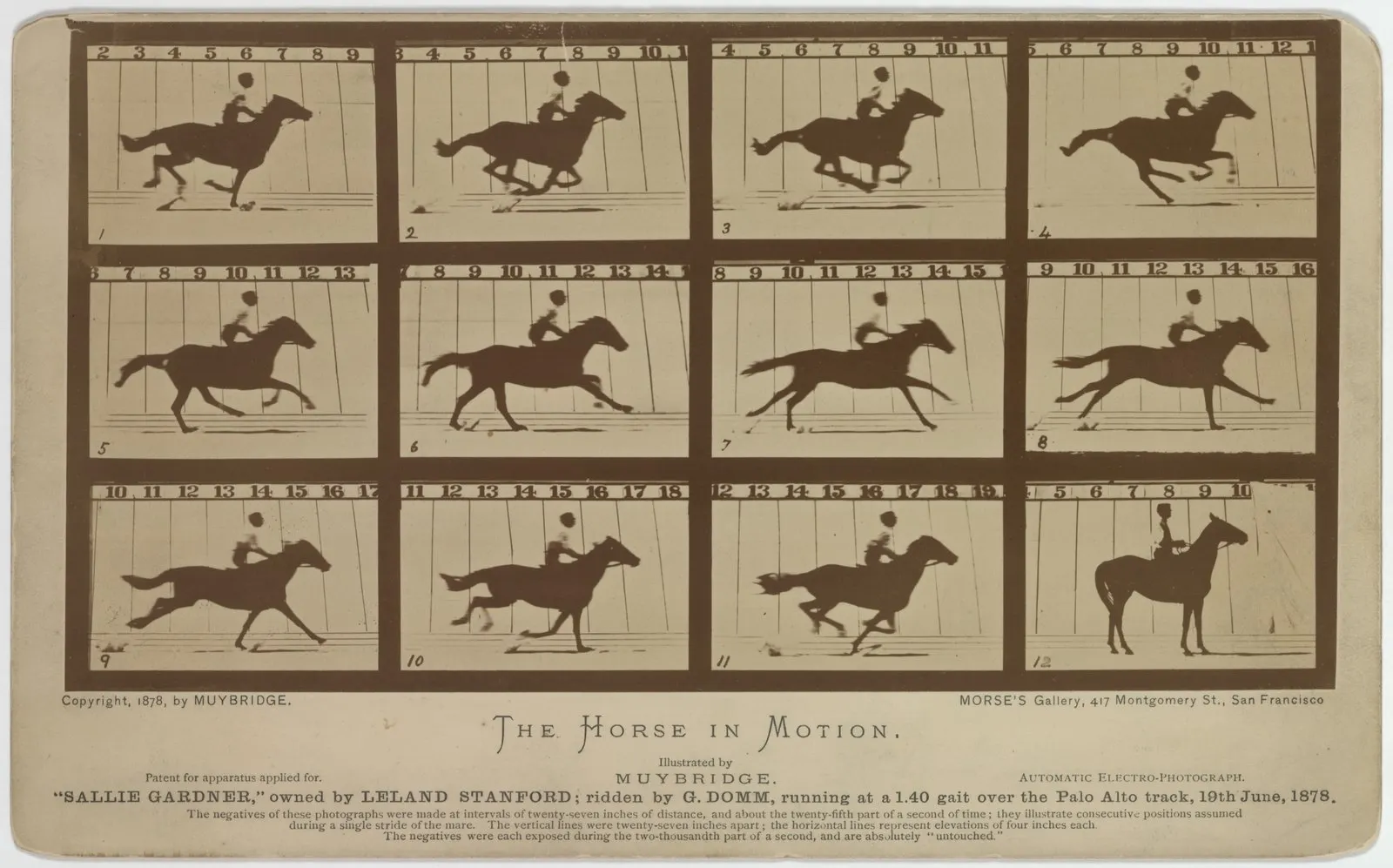
Each extreme stays on screen for a third of a second. Both loops use exactly the same holds, so the only difference between them is the spacing. A still frame can also turn up by accident. On the card discussed in The Horse in Motion, in frame 12 the mare appears to stand, and a gallop loop that kept it would stop dead for one frame.
The seam, where the last frame runs back into the first, is the place to check a loop for a stutter. In the eased loop, frame 30 sits 5 pixels from A, frame 1 lands on A and frames 2 to 4 hold. The even dot arrives with a full 30-pixel step and stops immediately. No step anywhere in the eased loop is larger than 51 pixels, the middle of each move.
A 1920 rule for in-betweens
Lutz used the word in-between one page before the rule. A caption on page 179 says that for some quick actions, “in-between” drawings can be slighted, meaning drawn more roughly than the others. Page 180 then takes up how many drawings a movement needs, using the example of a hand that travels from the thigh to the head and then touches the brim of a hat.
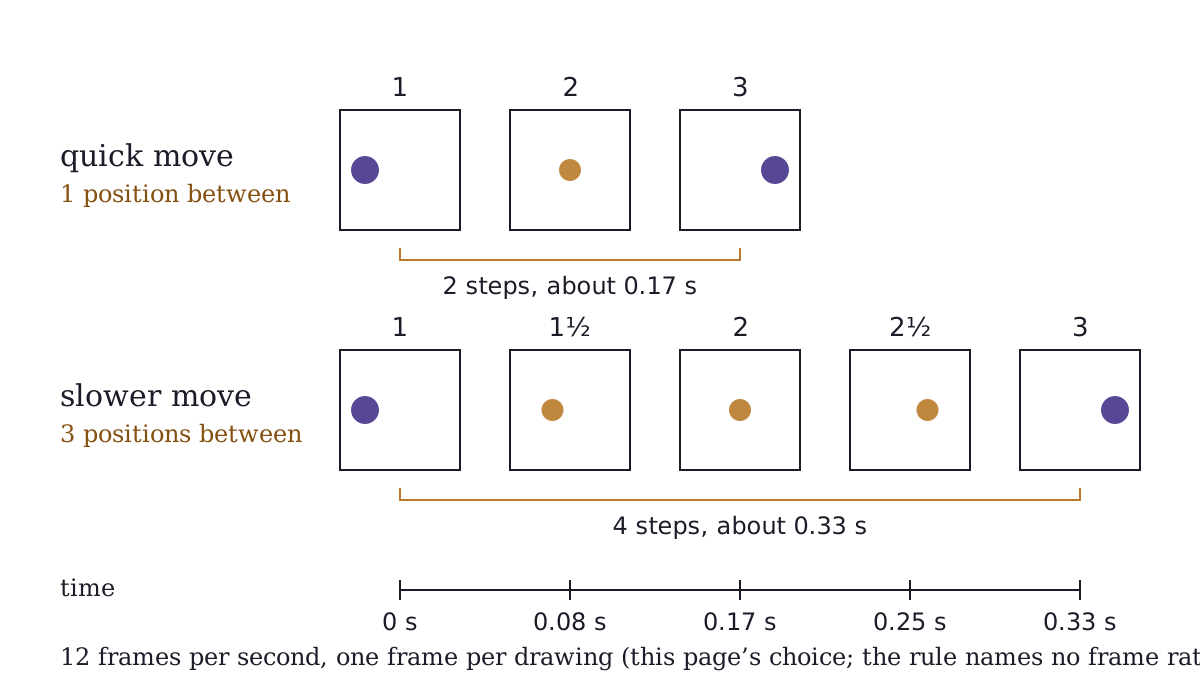
Lutz’s count from page 180 turned into time, one frame per drawing at this page’s 12 frames per second: 2 steps for a quick move, 4 for a slower one. The rule itself names no frame rate.
"Lutz (1920), p. 180, counted as time at 12 frames per second" by Flickers & Tintypes, https://flickersandtintypes.com/animation-loops/12-principles-of-animation/ — CC BY 4.0, https://creativecommons.org/licenses/by/4.0/
The count becomes time once each drawing is shown for a set number of frames. The rule itself names no frame rate. At this page’s 12 frames per second, with one frame per drawing, the quick version takes 2 steps, about 0.17 seconds. The slower version takes 4 steps, about 0.33 seconds.
Lutz did not treat three as a ceiling. At the foot of page 180 he added that a skilled animator does not much mind whether he makes “three, five, or even more” drawings between the extremes. The passage counts drawings and does not discuss where to place them, which is the separate idea this page’s loop shows. In a hand-drawn film such as Gertie the Dinosaur, each added position is one more drawing to make.
The same book turns to dialogue a few pages earlier. On page 174 Lutz describes balloons as the outlines that carry the characters’ words on screen, a device covered under speech bubbles.
The twelve names, and which ones a loop can show
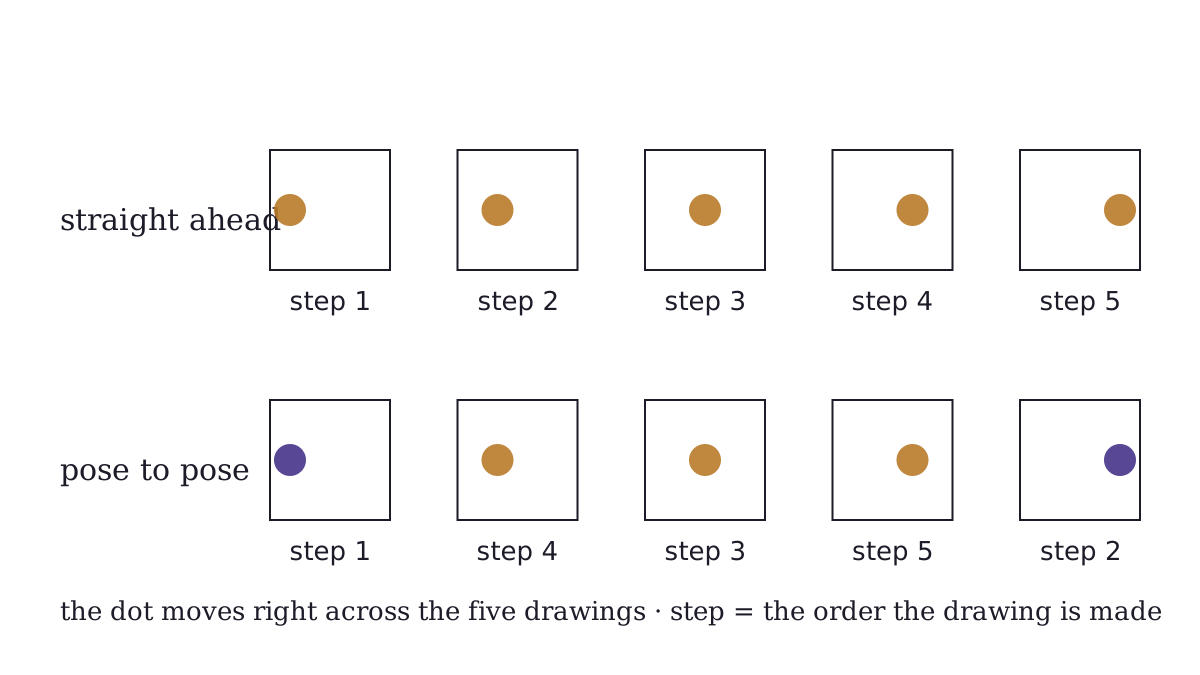
Working steps, not a loop: the same five drawings made in order, or pose to pose with both extremes first.
"Two orders for making the same five drawings: straight ahead and pose to pose" by Flickers & Tintypes, https://flickersandtintypes.com/animation-loops/12-principles-of-animation/ — CC BY 4.0, https://creativecommons.org/licenses/by/4.0/
Thomas and Johnston’s list has twelve names. The table gives each one with a short description written for this site, not taken from the book, and how this site shows it. Five of the twelve concern staging, acting, drawing skill or design, and this site does not try to show them with a loop of plain shapes.
| Principle | In this site’s words | Shown here as |
|---|---|---|
| Squash and stretch | A shape flattens or lengthens as it moves and keeps about the same size | Squash only, in a loop on the bouncing ball page |
| Anticipation | A small move the other way before the main move | Not yet shown |
| Staging | Setting up a shot so the viewer looks at the one thing that matters | Not a loop |
| Straight ahead action and pose to pose | Two orders of work: every drawing in sequence, or key poses first and the gaps after | Working steps, above |
| Follow through and overlapping action | Loose parts keep moving after the main body stops | Not yet shown |
| Slow in and slow out | More drawings near the start and end of a move, fewer in the middle | The loop pair on this page |
| Arcs | Moving a shape along a curved path rather than a straight line | Steps on the bouncing ball page |
| Secondary action | A smaller action that supports the main one | Not a loop |
| Timing | How many frames a move takes, which sets its speed | The opening diagram |
| Exaggeration | Pushing a pose or move past life so it reads clearly | Not a loop |
| Solid drawing | Drawing forms so they seem to have weight and depth | Not a loop |
| Appeal | A design a viewer wants to keep watching | Not a loop |
Straight ahead and pose to pose describe how drawings get made, so this site shows them as working steps. Straight ahead draws positions 1 to 5 in order. Pose to pose draws both extremes first, then the middle, then the two gaps. The half numbers in Lutz’s example, 1½ and 2½, name each added drawing by the two it falls between.
John Lasseter’s 1987 SIGGRAPH paper described the principles of traditional hand-drawn animation and applied them to 3D computer animation. Squash is worked through on the bouncing ball animation page.
Download the twelve principles list (CSV) source and license notes
Prints consulted
- 1E. G. Lutz, Animated Cartoons: How They Are Made, Their Origin and Development. New York: Charles Scribner's Sons, 1920. https://archive.org/details/cu31924075701304Read: pages 15, 20–26, 44, 52, 58, 68–69, 76–78, 174–175, 179–181 and 256, checked against the page images
- 2W3C, CSS Easing Functions Level 1, W3C Candidate Recommendation Draft, 13 February 2023, eds. Brian Birtles, Dean Jackson and Matt Rakow. Copyright © 2023 World Wide Web Consortium. https://www.w3.org/copyright/document-license-2023/ https://www.w3.org/TR/css-easing-1/Read: section 2.2, cubic Bézier easing functions (keyword values)
- 3Frank Thomas and Ollie Johnston, Disney Animation: The Illusion of Life. New York: Abbeville Press, 1981. https://libcat.library.tamu.edu/Record/in00003583217Read: bibliography only
- 4John Lasseter, “Principles of Traditional Animation Applied to 3D Computer Animation,” ACM SIGGRAPH Computer Graphics 21, no. 4 (August 1987): 35–44, doi:10.1145/37402.37407. https://doi.org/10.1145/37402.37407Read: bibliographic record and abstract only
Next reel:
- Bouncing ball animation: the same bunching near the top of a drop, where a free-fall model sets every gap.
- The Horse in Motion: eleven photographs of one stride that loop, and a twelfth frame that would stop the horse dead.
- Public-domain original to view: E. G. Lutz, Animated Cartoons (1920), public domain in the US, Internet Archive
Cite this page
Flickers & Tintypes. “12 Principles of Animation: Lutz’s 1920 Rule for In-Betweens.” Flickers & Tintypes. Published November 12, 2026. https://flickersandtintypes.com/animation-loops/12-principles-of-animation/. Accessed [the date you read it].
Same sectionAlso in Animation Loops
Animation Loops
Phenakistiscope: A Spinning Disk You Watched in a Mirror
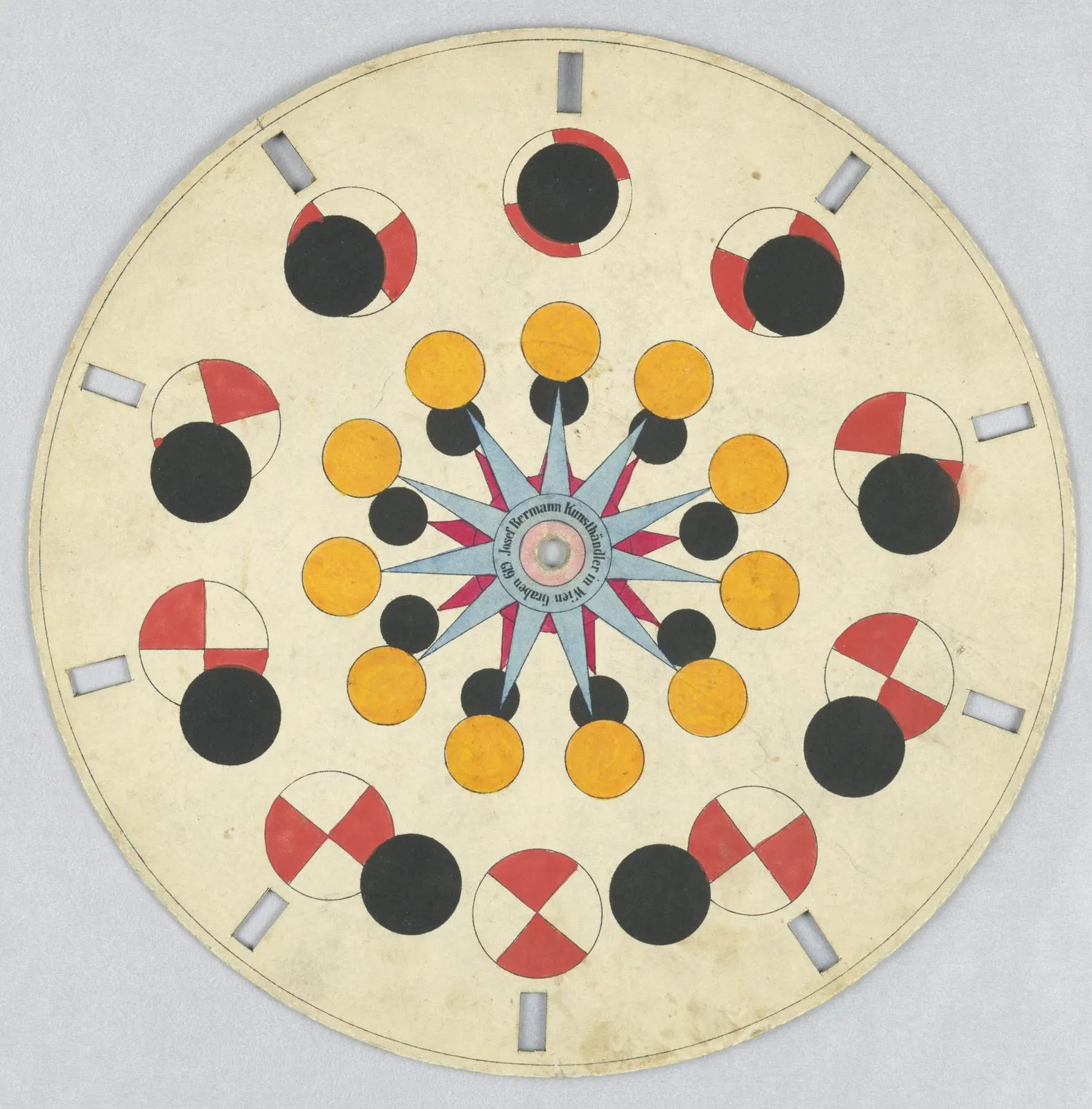
A phenakistiscope is a slotted disk spun before a mirror and watched through its slits. Count the slits and figures on a Vienna disk from about 1840.
Picture credit
"Optical Toy, Phenakistiscope Disc with Geometric Shapes, ca. 1840 (Cooper Hewitt 1948-124-4)" by Unknown author — https://commons.wikimedia.org/wiki/File:Optical_Toy,_Phenakistiscope_Disc_with_Geometric_Shapes,_ca._1840_(CH_18607983).jpg — Public domain: Public domain in the US (published about 1840) and in the EU (anonymous work published in Vienna about 1840; the 70-year term from publication expired long ago); faithful reproduction of a two-dimensional work (Commons PD-Art); modified: scaled from 3390 x 3444 to 1575 x 1600 px; whole disk, not cropped
Animation Loops
Zoetrope: An 1834 Paper Said a Whole Room Could Watch It
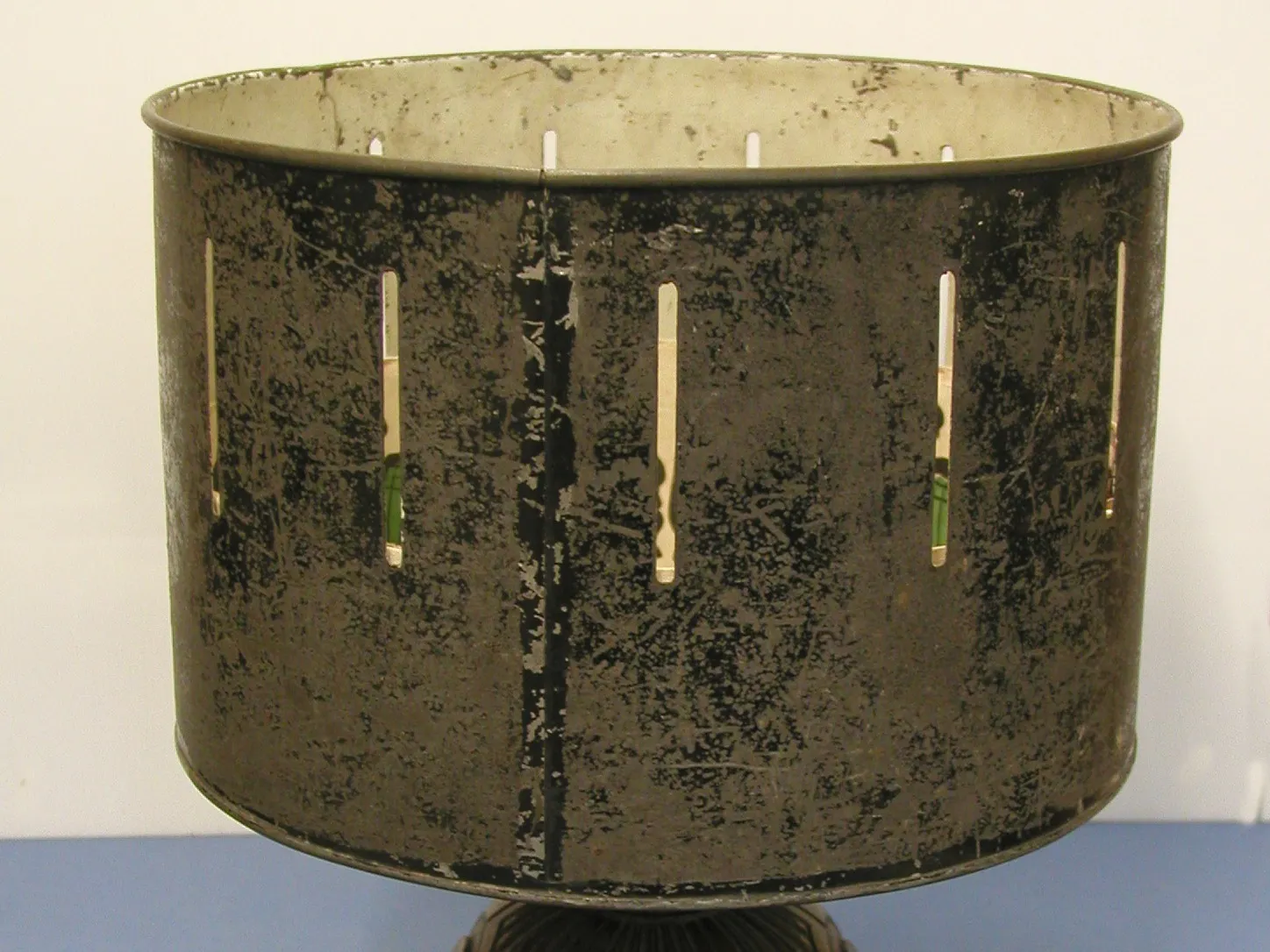
How a zoetrope works: slits times turns per second gives images per second. Horner named the open drum the Dædaleum in 1834; later patents are dated per Lutz.
Picture credit
"Zoetrope (wheel of life) optical toy, Auckland Museum 2001.6.1, photo AM_2001.6.1-1" by Auckland Museum — https://commons.wikimedia.org/wiki/File:Zoetrope_(AM_2001.6.1-1).jpg — CC BY 4.0 (https://creativecommons.org/licenses/by/4.0/); modified: cropped to the drum and the top of its stand, removing the measuring scale and the museum's copyright line
Animation Loops
The Horse in Motion: Two Frames With No Hoof on the Track
Muybridge’s 1878 Sallie Gardner card, frame by frame: in frames 2 and 3 no hoof touches the track, and the legs are gathered under the body, not stretched out.
Picture credit
"The Horse in Motion: “Sallie Gardner,” owned by Leland Stanford, card of 12 photographs (1878)" by Eadweard Muybridge — https://commons.wikimedia.org/wiki/File:Eadweard_Muybridge-Sallie_Gardner_1878.jpg — Public domain: Public domain in the US (published 1878; card marked Copyright, 1878, by Muybridge) and in the EU (Eadweard Muybridge died 1904); copy: Library of Congress 97502309, record not consulted directly; scan as uploaded to Wikimedia Commons; modified: scaled from 4352 to 1600 px wide